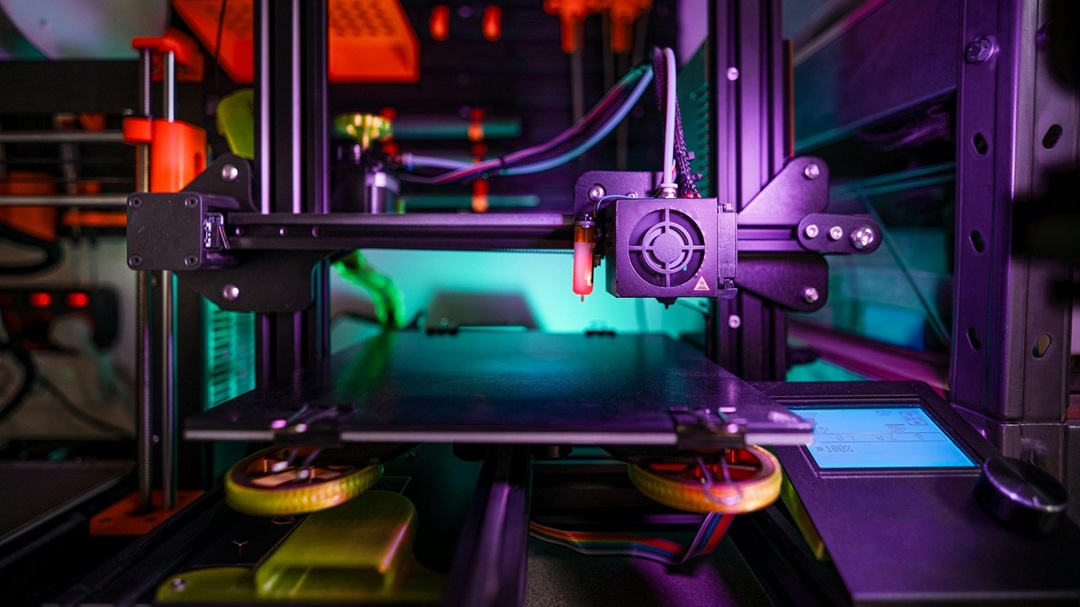
3d printing is a relatively new method of manufacturing that allows for the easy creation of a wide variety of shapes. 3d printing is part of a newly created type of manufacturing called additive manufacturing. In traditional manufacturing you would start with a large chunk of material and chip off material till you get a desired ship. However, with additive manufacturing you start with a long spool of material that is then fed through a nozzle, this nozzle heats up the material and slowly arranges the material in a shape it was programmed for. Most importantly, 3d printing has become more and more available over the past several decades thus allowing anyone to get into engineering with far more ease than was previously possible.
Because of this increase in accessiblity there has been a related rise in the interest in 3d printing. This rise is especially due to how powerful 3d printing is for allowing people to pursue their creative projects or to just fix various objects around their house. This website is designed to encourage people who may be interested to get into 3d printing and to learn more about 3d designing. As such, this website includes all of the necessary steps that are involved in the basics of 3d printing as well as additional information and tips. Hopefully this website can show you how easy it can be to get into 3d printing!
Where to Setup a 3d Printer
When it comes to 3d printer setup the main choice that you will have to make is where to setup your 3d printer. Generally you want to have a flat area on a desk or table thats at least a foot and a half by a foot and a half and that is within reasonably close proximity to a computer or laptop. You want to ensure that it's a flat area or some printers may mess up during the printing process due to the uneveness on the printing bed. Additionally, if you reserve a foot and a half by a foot and a half area you should be able to fit most 3d printers available to the average person. One final thing to be aware of with 3d printers is that the printing process is usually at least several hours for any significant prints and printers can be rather noisy. As such, if you think the noise will bother you you can place your 3d printer somewhere more isolated from where you typically spend your time. If the noise doesn't bother you you can just place it wherever your work station/desk is in your house.
Example audio of a filament/plastic 3d printer below:
In addition to the general considerations that go for every 3d printer there are also considerations that you must make depending on your specific type of 3d printer. There are 2 types of 3d printers that are easily available to the public. They are filament/plastic printers and resin printers. Filament printers are less accurate and depending on what you're printing slower but they are significantly easier to setup. With filament printers you can just set them up with the previously mentioned considerations and only have to occasionally change the filament spool. However, with resin printers there is much more to be considered with the setup. Resin printers generally emit fumes. These fumes aren't produced at high enough quantity to be a health risk but it's still important to limit your exposure to them. As such, with any resin printers you want them to be near some form of ventilation like a fume hood or window. Additionally, with resin printers you generally don't just get a resin printer, you also get a cleaner that cleans off the prints.
Once you get your printer setup it then becomes time to find what you want to print!
How to Get 3d Models
There are two primary ways to get 3d models for you to print. You can either make them yourself using a C.A.D. (Computer aided design) software or you can source them from a free repository on the internet.
When it comes to sourcing 3d models off the internet there is thousands and thousands of models available for free on platforms like Thingiverse and Thangs.
On these platforms you can generally find lots of cool trinkets or specific parts for a generally used product.
However, these sites most likely would not have anything for you if you were trying to make something cool that's specific to your life.
For example, if you were trying to find a mounting design for a specific motor or to make a stand for a souvenir you most likely wouldn't be able to find anything.
This then leaves you with the option of creating a model yourself.
When it comes to 3d modeling there are thousands of different softwares available which each have their own quirks.
I primarily use Autodesk Inventor Professional but I've also heard good things about another program called OnShape
As a warning about Autodesk, I have free access to autodesk as I am a student but if you are not currently enrolled in an academic institution or other that provides Autodesk for free it is really expensive.
If you can get Autodesk for free I recommend it, if not, I would use OnShape.
Now, once you actually have a software I recommend using youtube tutorials or similar to help you become familiar with all the tools of Autodesk.
Additionally, I found a fun exercise to be to recreate objects around my room as a way of developing my CAD skills.
Once you've designed something you want to print you then have to move onto the final step, initiating the 3d print.
How to Prepare a 3d Print
Example of a 3d printer running and the software for the print
Once you have a file for a model you want to print there are a couple of things that you need to do first.
First, if you created a file in a CAD software you need to save your file on your computer as an STL (Standard Tessellation Language) file. This is a necessary step to convert your model into something useable by a printer.
Next, once you have an STL file you then need to feed that file into a slicer software.
Slicer software configures several settings about the way that your printer will print the part.
Most slicing software can be used for free and I would recommend Ultimaker Cura as it can support a wide variety of different 3d printers.
Within that slicing software you first upload your STL file into the software, from there you can position how you want your model to print on the printer and the orientation with which it prints.
For those of you using premade models you can mostly skip a lot of what was said in the last paragraph.
However, you will still need a slicing software and you will then download whatever model you want and insert it into the slicing software.
From here, whether you made a custom design or downloaded one you most likely need to have an SD card and a method of accessing that card with your computer.
After you have all your settings configured in a slicer you need to download the slicers output to a SD card because most 3d printers utilize SD cards as their method of accepting print files.
Once you've inserted your SD card into your printer you can then use the printers display to select a print file. After that, you may just want to occasionally check up on your printer to ensure the print hasn't messed up.
If the print has messed up you can stop the print, clean off the print bed, and restart the print or you could reslice the model with new settings and then reprint.
Hope this was helpful to anyone interested in 3d Printing!